These are my lab notes from the Okta Professional Certification hands-on track. The first SAML lab used fake example.com values — enough to practice the Okta-side setup. This one uses a real Service Provider so you can validate the full assertion flow end to end.
Maps to exam: Part II — Application Setup with OIN (30%) · See the full lab map on the Okta Professional Cert Study Map or the official study guide.
The SP is IAMShowcase — a free SAML test tool that receives assertions and displays their contents. No app to deploy, no backend to configure.
Objective
Okta app assignment → SAML assertion → real ACS URL → attribute visibility → app policy behavior1. Create the SAML App
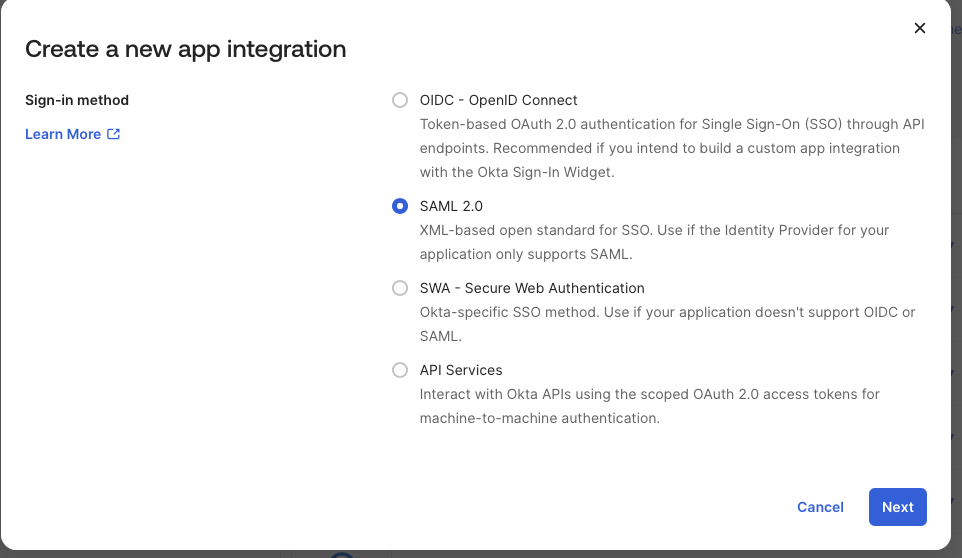
Applications → Applications → Create App Integration → SAML 2.0
App name: CERT Real SAML Test SP
2. Configure SAML Settings
IAMShowcase publishes SAML metadata. The values you need:
| Okta Field | Value |
|---|---|
| Single sign-on URL | https://sptest.iamshowcase.com/acs |
| Audience URI / SP Entity ID | IAMShowcase |
| Name ID format | EmailAddress |
| Application username | Email |
| Update application username on | Create and update |
The metadata confirms both values:
entityID="IAMShowcase"
Location="https://sptest.iamshowcase.com/acs"
3. Attribute Statements
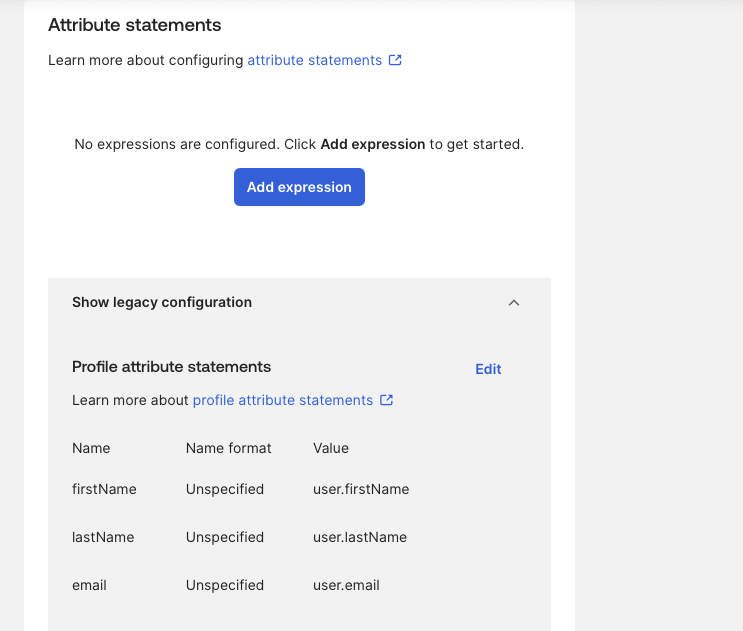
Add three attribute statements so IAMShowcase can display user details:
| Name | Name format | Value |
|---|---|---|
firstName | Unspecified | user.firstName |
lastName | Unspecified | user.lastName |
email | Unspecified | user.email |
4. Signing Settings
IAMShowcase’s metadata includes:
WantAssertionsSigned="true"Make sure Okta signs the assertion. In the Advanced Settings section, enable:
Response: Signed
Assertion Signature: Signed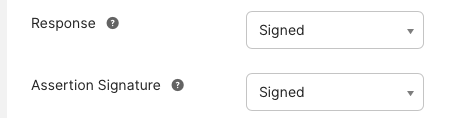
Leave everything else at defaults unless the SP metadata specifies otherwise. The standard settings work for this SP:
| Setting | Value |
|---|---|
| Signature Algorithm | RSA-SHA256 |
| Digest Algorithm | SHA256 |
| Audience Restriction | IAMShowcase |
5. Finish App Creation
When Okta asks for context, select:
I'm an Okta customer adding an internal app6. Assign the App
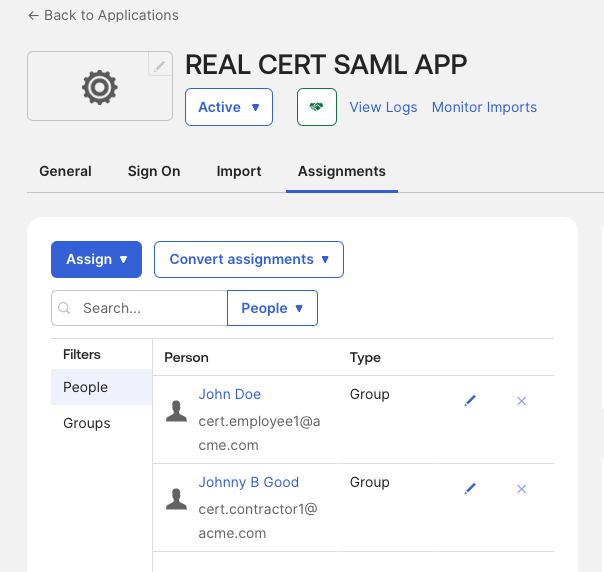
Applications → CERT Real SAML Test SP → Assignments
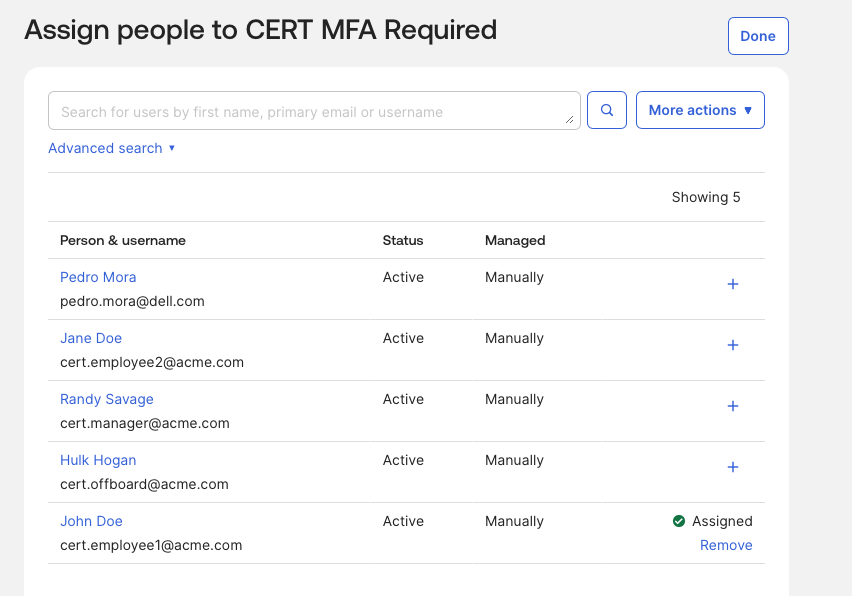
Assign the app to CERT MFA Required. Confirm cert.employee1 is included.
cert.employee2 should not have access — this gives you a control user for testing.
7. Test IdP-Initiated Flow
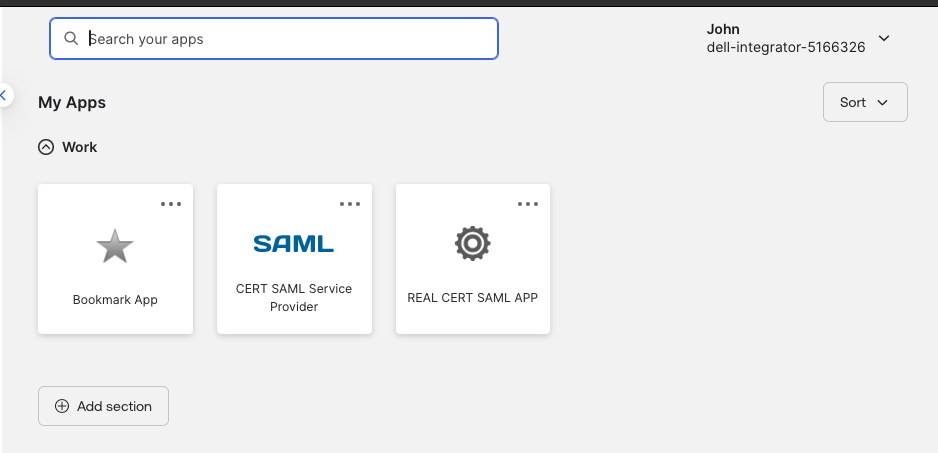
Open a private browser. Sign in as cert.employee1.
On the Okta dashboard, click the CERT Real SAML Test SP tile.
Expected flow:
Okta authenticates user
→ Okta builds SAML assertion
→ Browser POSTs assertion to https://sptest.iamshowcase.com/acs
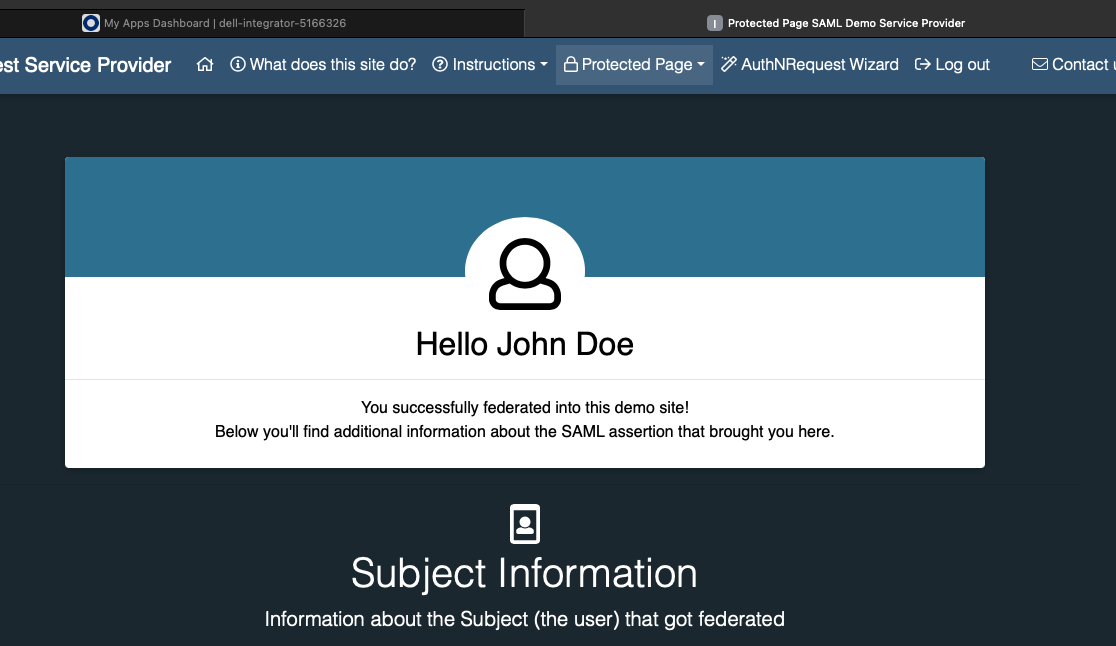
→ IAMShowcase displays assertion contents
If everything is wired correctly, IAMShowcase shows you the NameID and the attribute statements you configured.
8. Test Assignment Control
Sign out. Sign in as cert.employee2.
Expected: the CERT Real SAML Test SP tile does not appear. If it does, check the app’s assignment scope.
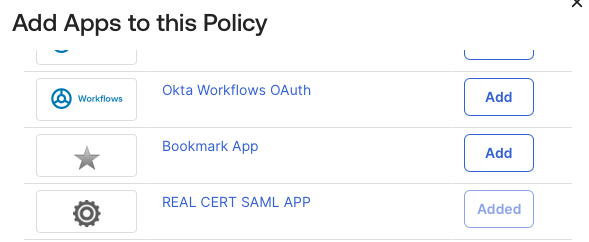
9. Attach an App Authentication Policy
Security → Authentication Policies → Create Rule
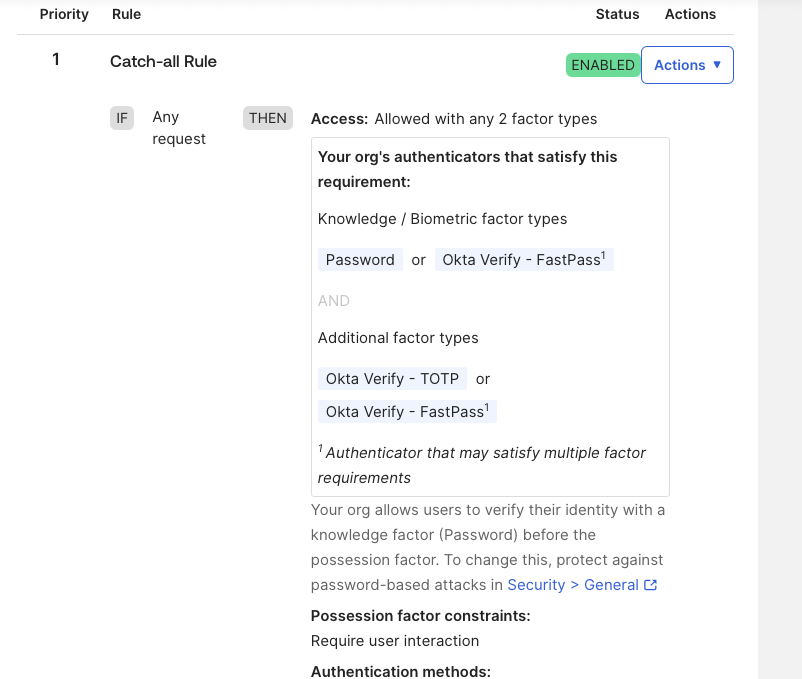
Attach the policy to the app:
Applications → CERT Real SAML Test SP → Sign On
10. Test App Policy
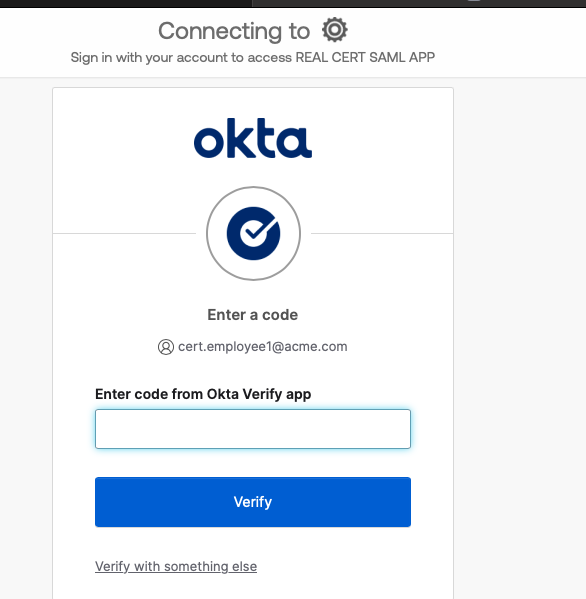
Open a clean private browser. Sign in as cert.employee1, then click the app tile.
Expected: Okta requires additional verification before releasing the SAML assertion.
If it goes straight through without a challenge, work through this checklist:
| Check | Why |
|---|---|
| User is in policy scope | Rule may not match this user |
| App is attached to the policy | Policy may not be wired to the app |
| Rule order | A broader allow-rule may match first |
| Re-auth frequency setting | Existing session may already satisfy the requirement |
| User has enrolled a factor | Can’t challenge what the user hasn’t set up |
11. System Log Evidence
Reports → System Log → search cert.employee1
Look for these event types in sequence:
| Event | What it proves |
|---|---|
user.session.start | Okta session established |
policy.evaluate | Session or app policy rule matched |
authenticator.verify | Strong auth completed |
app.saml / application access event | SAML assertion delivered to SP |
Success Criteria
You’re done when you can demonstrate:
cert.employee1sees the app tile and launches it successfully.cert.employee2does not see the tile.- IAMShowcase receives the assertion and displays NameID + custom attributes.
- The App Authentication Policy forces additional verification before assertion delivery.
- System Log shows the full event chain: session → policy eval → MFA → app access.
Exam Concepts Covered
| Exam Task | Covered |
|---|---|
| Add app integration | Yes |
| Assign group to app | Yes |
| Verify user can access app | Yes |
| Configure SAML (ACS URL, Entity ID, NameID) | Yes |
| Attribute statements and mapping | Yes |
| App Authentication Policy | Yes |
| Troubleshooting access issues | Yes |