These are my lab notes from the Okta Professional Certification hands-on track. This lab maps to the Security Enforcement use case and builds directly on Lab 1.
Maps to exam: Part II — Security Enforcement (25%) · See the full lab map on the Okta Professional Cert Study Map or the official study guide.
The Three-Policy Model
Before touching the tenant, get this table locked in — the exam tests distinctions, not just configuration steps.
| Policy | Controls |
|---|---|
| Authenticator Enrollment | What authenticators a user must or may enroll in |
| Global Session Policy | Requirements to establish an Okta session |
| App Authentication Policy | Requirements to access a specific application |
This lab is about the middle row: the session layer.
Lab Objects
Group:        CERT MFA Required
Test user:    cert.employee1   ← in the group
Control user: cert.employee2   ← not in the group
cert.employee1 must be in CERT MFA Required before you start. Verify this first.
Create the Global Session Policy
Security → Global Session Policy
Create a new policy:
CERT High Assurance Session PolicyAssign it only to CERT MFA Required. The default policy handles everyone else.
Create the Rule
Inside the new policy, create a rule named MFA REQUIRED.
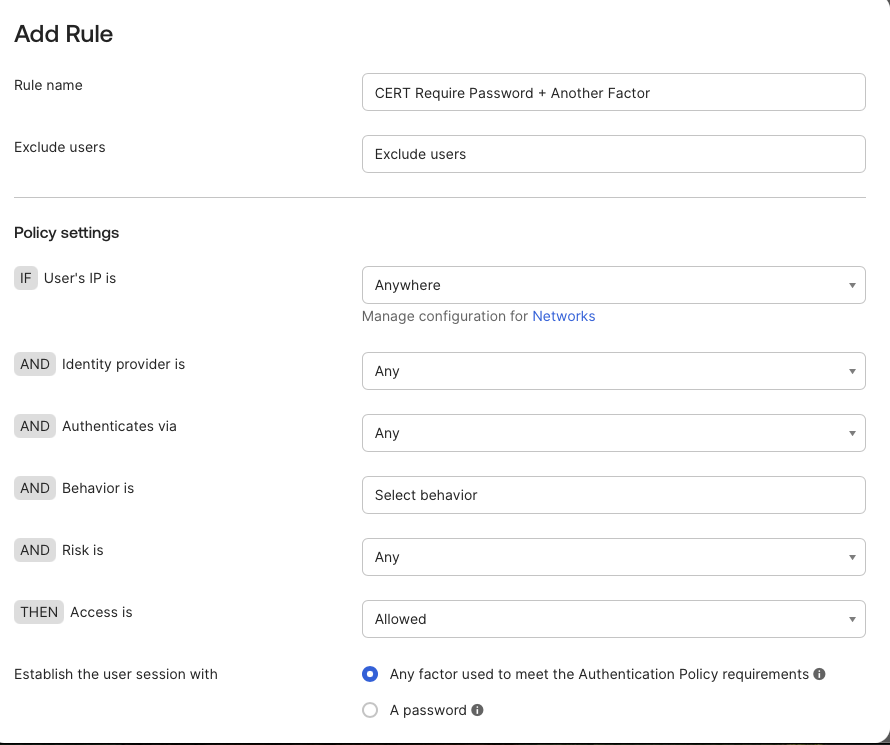
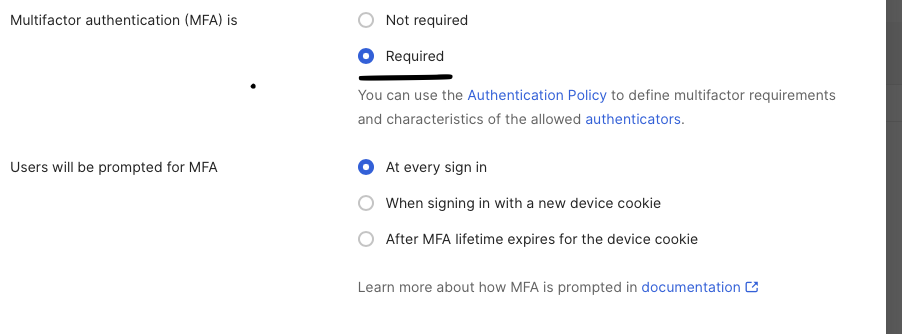
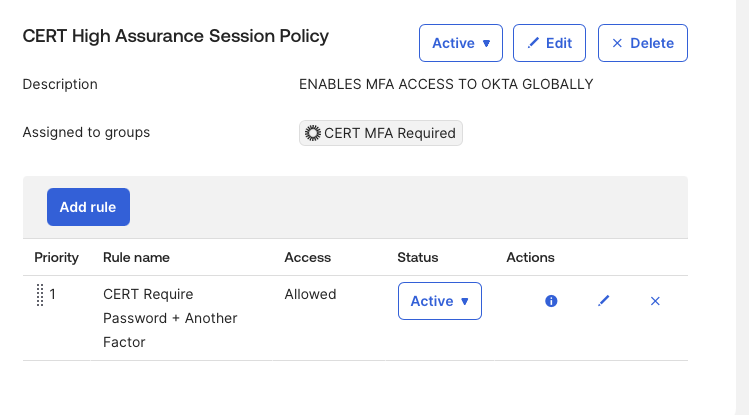
The rule should require a second factor to establish an Okta session. Priority matters — Okta evaluates rules top to bottom and stops at the first match.
Test Plan
Use a private/incognito browser for each test to start from a clean session state.
Test 1 — MFA Group User
Sign in as cert.employee1.
Expected: password prompt, then an additional verification step before the Okta dashboard loads.
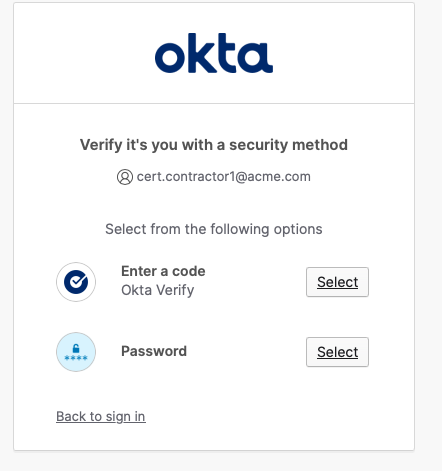
Test 2 — Control User
Sign in as cert.employee2.
Expected: default behavior — no additional step beyond password.
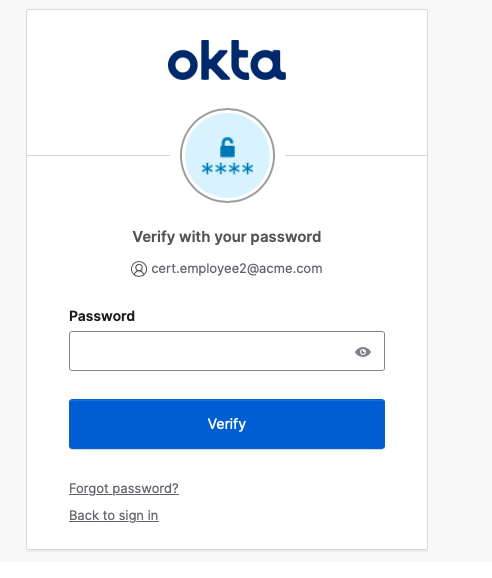
If both users behave the same way, check group membership and policy assignment before changing anything else.
Verify in System Log
Reports → System Log → filter by cert.employee1
You should see the policy evaluation event confirming the rule matched and MFA was required.
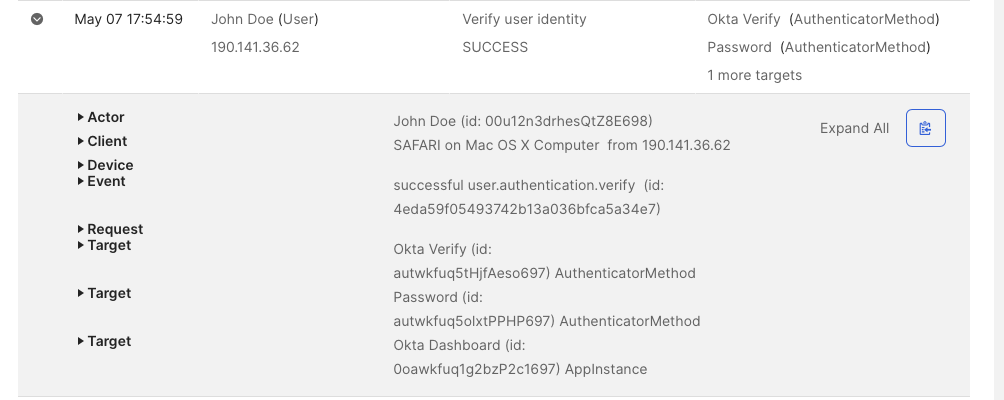
The chain you’re proving:
Group membership → Global Session Policy match → stronger session requirementWhat You Should Be Able to Explain After This Lab
A Global Session Policy controls how a user establishes an Okta session. It is broader than an app Authentication Policy. It does not assign applications, and it does not by itself decide which authenticators are enrolled. It decides what assurance is required for session access.
Mini DOMC Drill
Answer mentally: YES or NO.
- A Global Session Policy controls access to the Okta session.
- A Global Session Policy assigns users to applications.
- Group membership can determine which Global Session Policy applies.
- An authenticator can be enrolled but not required during sign-in.
- App Authentication Policies and Global Session Policies are the same thing.
Answers
- YES
- NO
- YES
- YES
- NO