These are my lab notes from the Okta Professional Certification hands-on track. This lab maps directly to the Security Enforcement use case on the exam.
Maps to exam: Part II — Security Enforcement (25%) · See the full lab map on the Okta Professional Cert Study Map or the official study guide.
Objective
Make Okta behave differently for users based on group membership.
| User | Group | Expected Behavior |
|---|---|---|
cert.employee1 | CERT MFA Required | Gets MFA enrollment flow |
cert.employee2 | Not in MFA group | Follows default behavior |
This maps to the exam’s Security Enforcement use case:
- Add and remove authenticators
- Configure enrollment options
- Understand the difference between authenticator enrollment and sign-on enforcement
Step 1 — Adjust Group Membership
Find the CERT MFA Required group:
Directory → Groups → CERT MFA Required
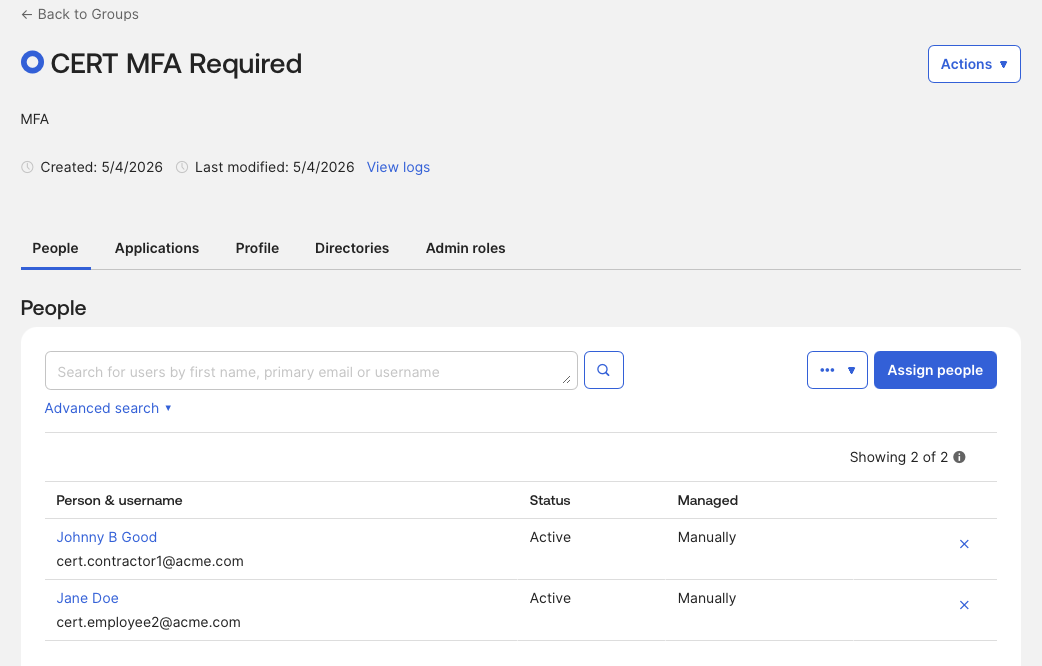
Remove [email protected] — they should follow default behavior, not the MFA enrollment policy.
Step 2 — Review Authenticators
Security → Authenticators
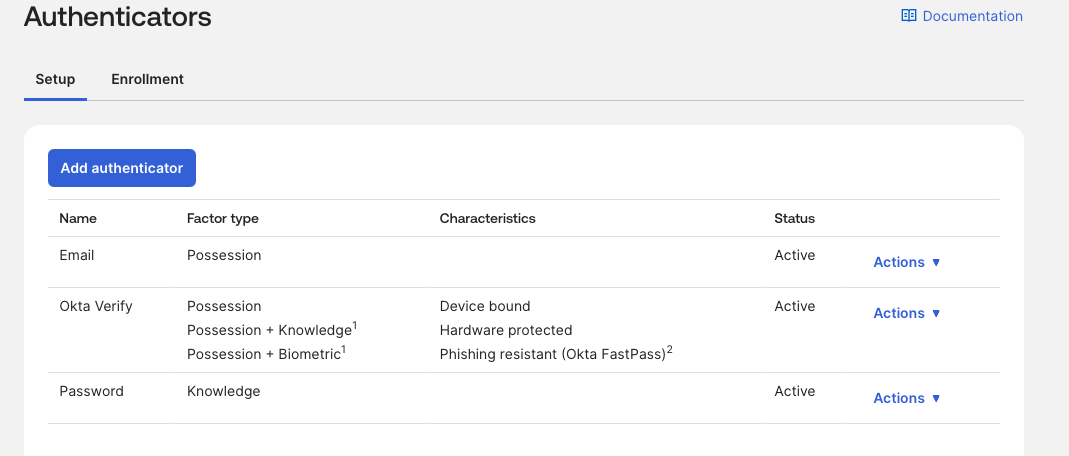
For this lab, focus on:
| Authenticator | What it does |
|---|---|
| Password | Knowledge factor — the primary credential |
| Possession-ish verification method | |
| Okta Verify | Stronger authenticator — supports push, OTP, and FastPass depending on configuration |
Phone and Security Question are also available but not the focus here.
Step 3 — Create the Enrollment Policy
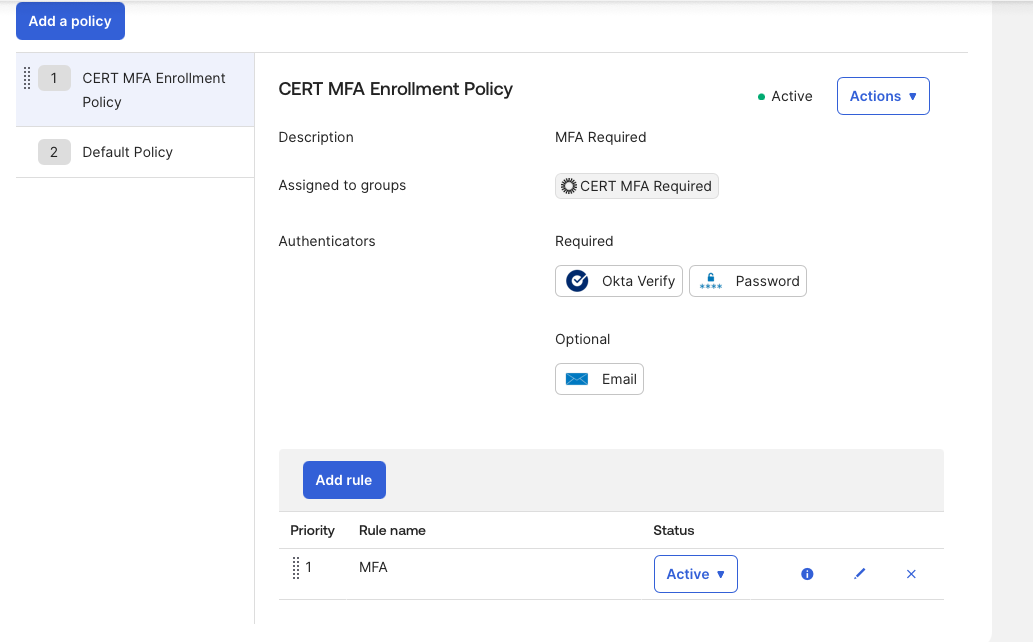
Security → Authenticators → Enrollment
Create a new policy and assign it to the CERT MFA Required group.
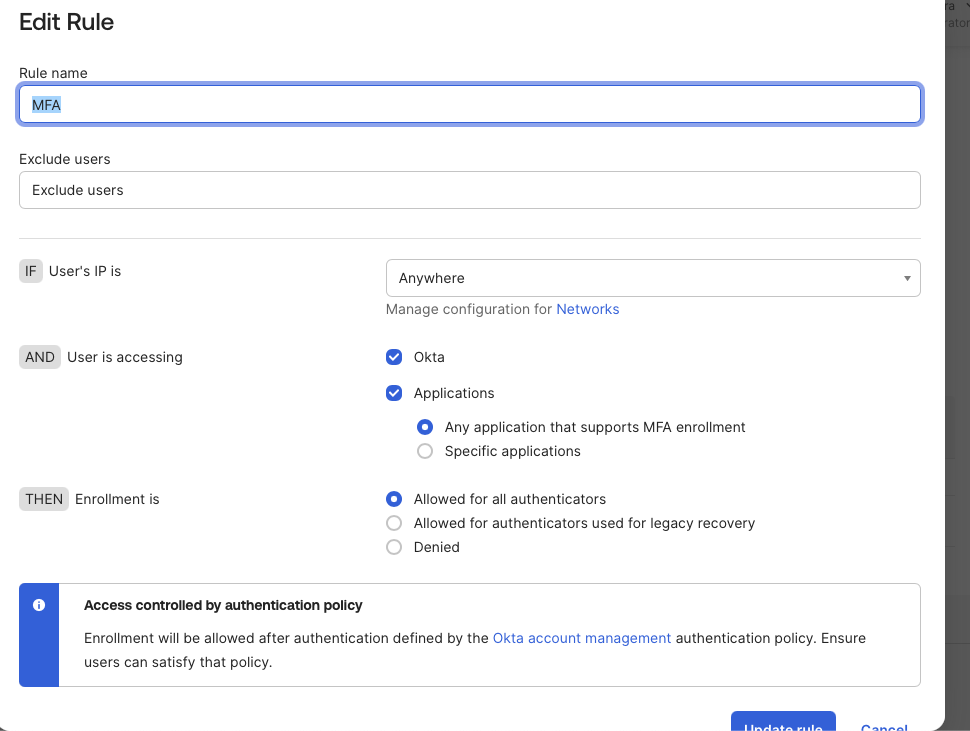
Step 4 — Test
Open a private browser window and sign in as [email protected].
The user should be prompted to enroll an authenticator — that’s the enrollment policy in effect.
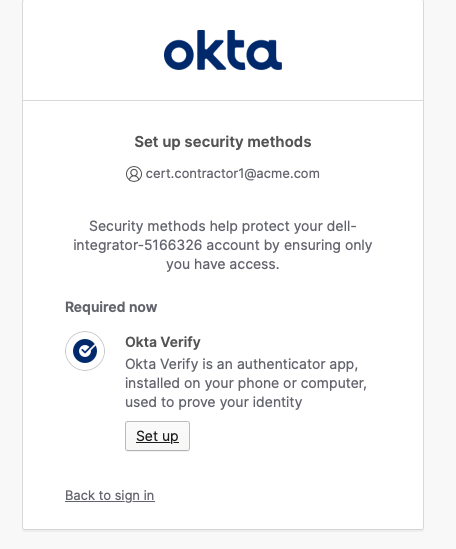
Step 5 — Verify in System Log
Reports → System Log
Confirm the enrollment event was captured.
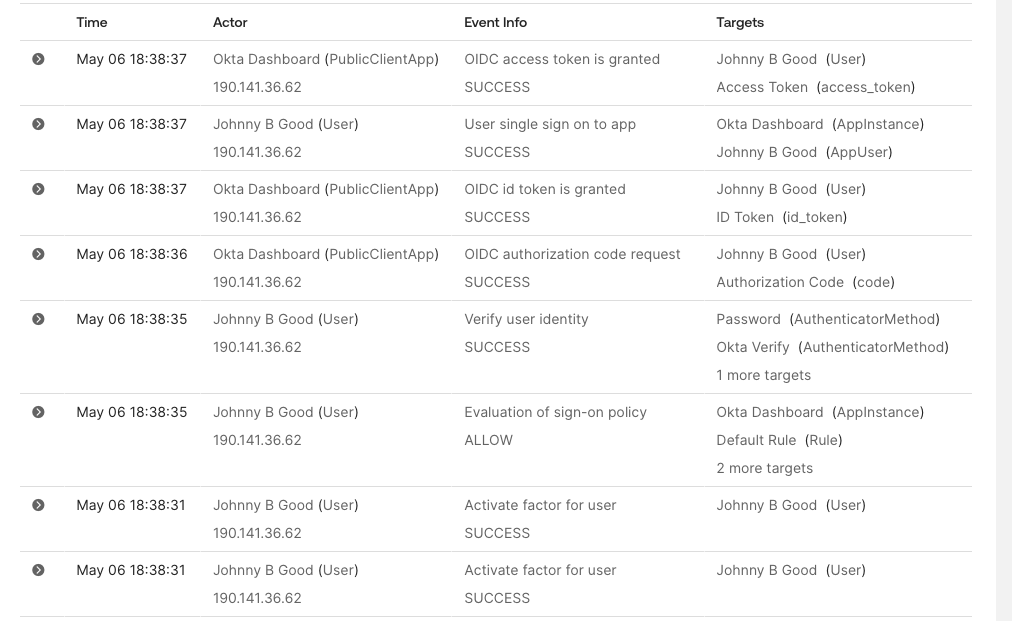
The system log is the authoritative record for everything that happens in the tenant — authentication events, policy evaluations, admin actions. Get comfortable reading it before exam day.
What You Should Be Able to Explain After This Lab
Authenticator enrollment policy controls which authenticators a user must or may enroll in. It is not the same as a Global Session Policy or an app Authentication Policy. Enrollment answers “what methods must the user set up?” while sign-on policies answer “what assurance is required to access Okta or an app?”
That distinction is on the exam.
Mini DOMC Drill
Answer mentally: YES or NO.
- An authenticator enrollment policy controls which authenticators a user must enroll in.
- A Global Session Policy controls access to a specific SAML application.
- An app Authentication Policy can enforce stronger access requirements for one application.
- Adding a user to an MFA group automatically assigns them to a SAML app.
- Okta Verify and Email are both configured under Security → Authenticators.
Answers
- YES
- NO
- YES
- NO
- YES