These are my lab notes from the Okta Professional Certification hands-on track. The skill this maps to:
Assign admin roles. Understand delegated administration.
Maps to exam: Part II — Account Creation (25%) · See the full lab map on the Okta Professional Cert Study Map or the official study guide.
The exam wants you to understand two things at once:
User access ≠ admin privileges Admin roles can be scoped and delegated.
Lab Setup
Test user: [email protected]
Group: CERT Helpdesk Admins
Step 1 — Verify Group Membership
Directory → Groups → CERT Helpdesk Admins
Confirm cert.manager is inside the group.
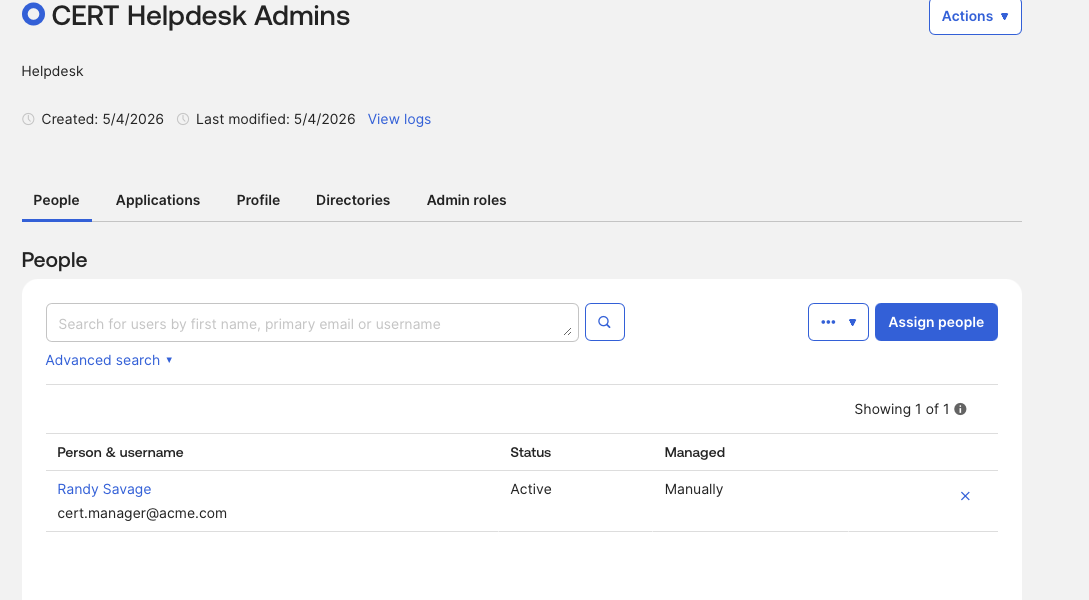
Step 2 — Assign an Admin Role to the User
Directory → People → cert.manager → Admin Roles
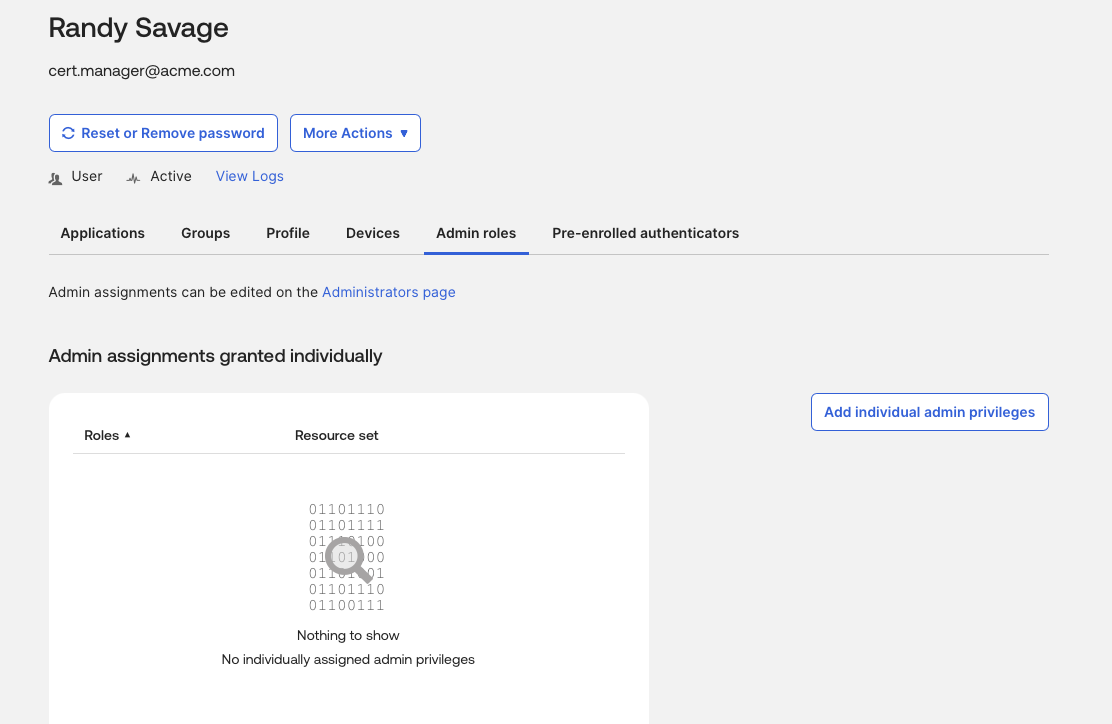
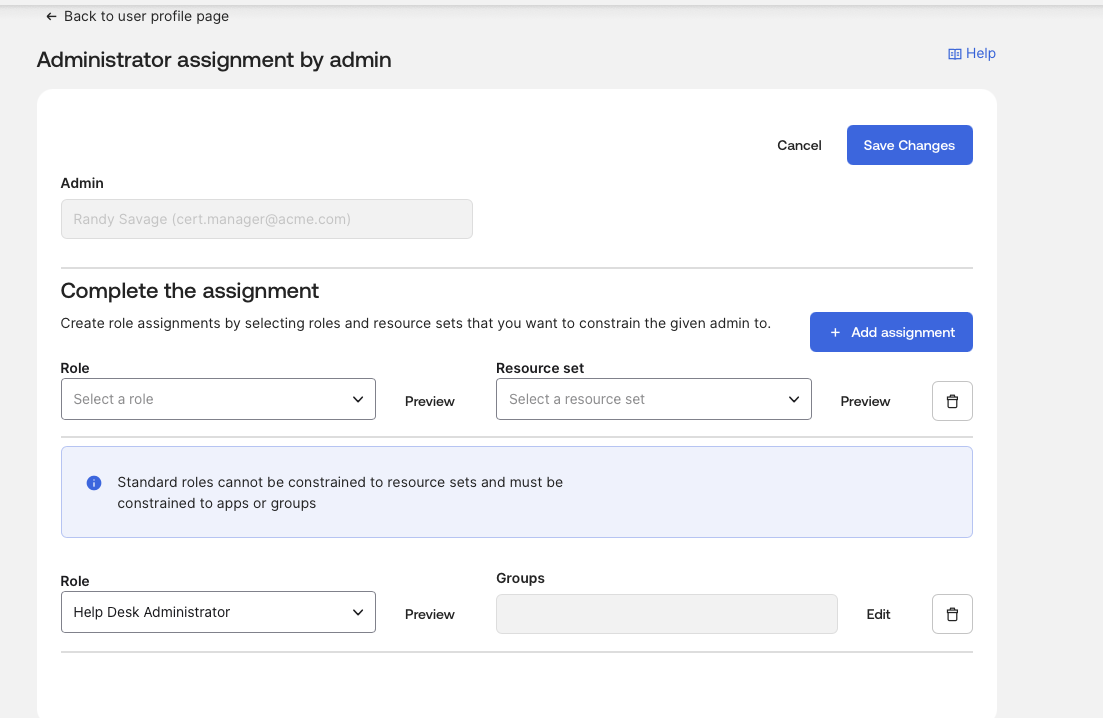
Assign Help Desk Administrator.
If Help Desk Admin is unavailable in your tenant, use Read-Only Administrator or another limited admin role. Do not assign Super Admin.
You will see an error if you try to assign the role directly to the user — Okta wants this done via groups, which is exactly the realistic IAM pattern. The advanced drill below is the correct path.
Step 3 — Understand the Role
The user should now be able to:
| Capability | Expected |
|---|---|
| Reset passwords | Yes |
| Unlock users | Usually yes |
| View users | Yes |
| Modify org-wide security | No |
| Manage policies | Usually no |
| Full admin rights | No |
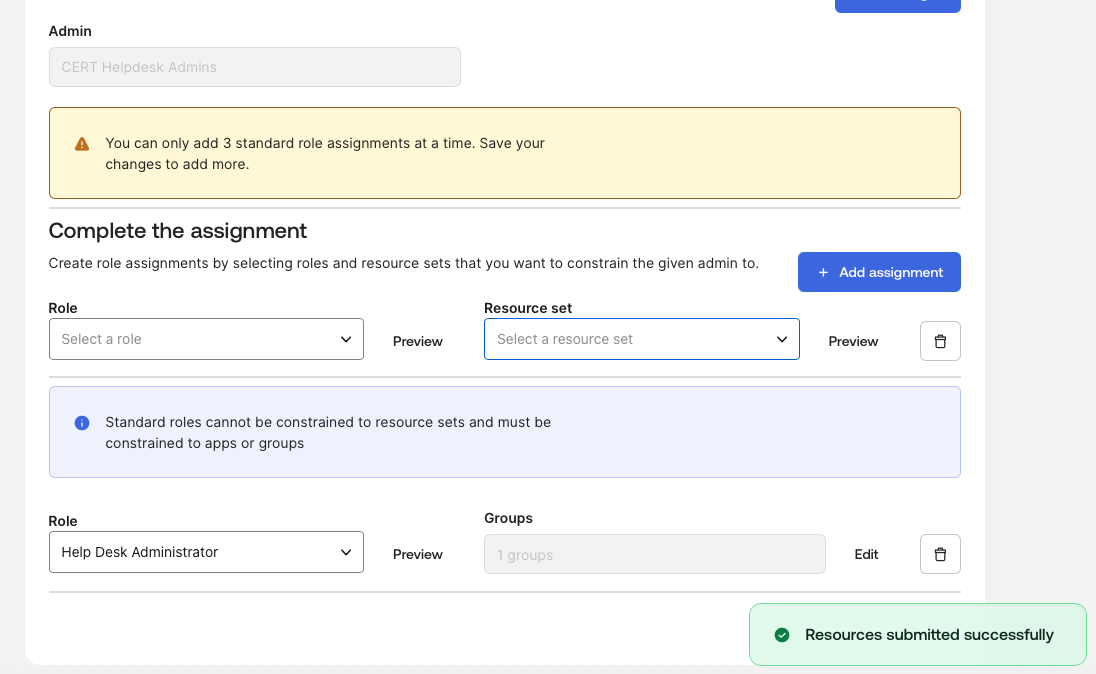
Step 4 — Advanced Drill: Group-Based Delegation
Assign the admin role to a group instead of directly to the user.
CERT Helpdesk Admins → assign Help Desk Admin roleThen:
Any user added to the group inherits delegated admin rightsThis is very realistic IAM thinking — it’s how delegated administration actually scales in production.
Step 5 — System Log Verification
Reports → System Log → search cert.manager
Look for:
admin.role.assign
user.session.start
admin.console.access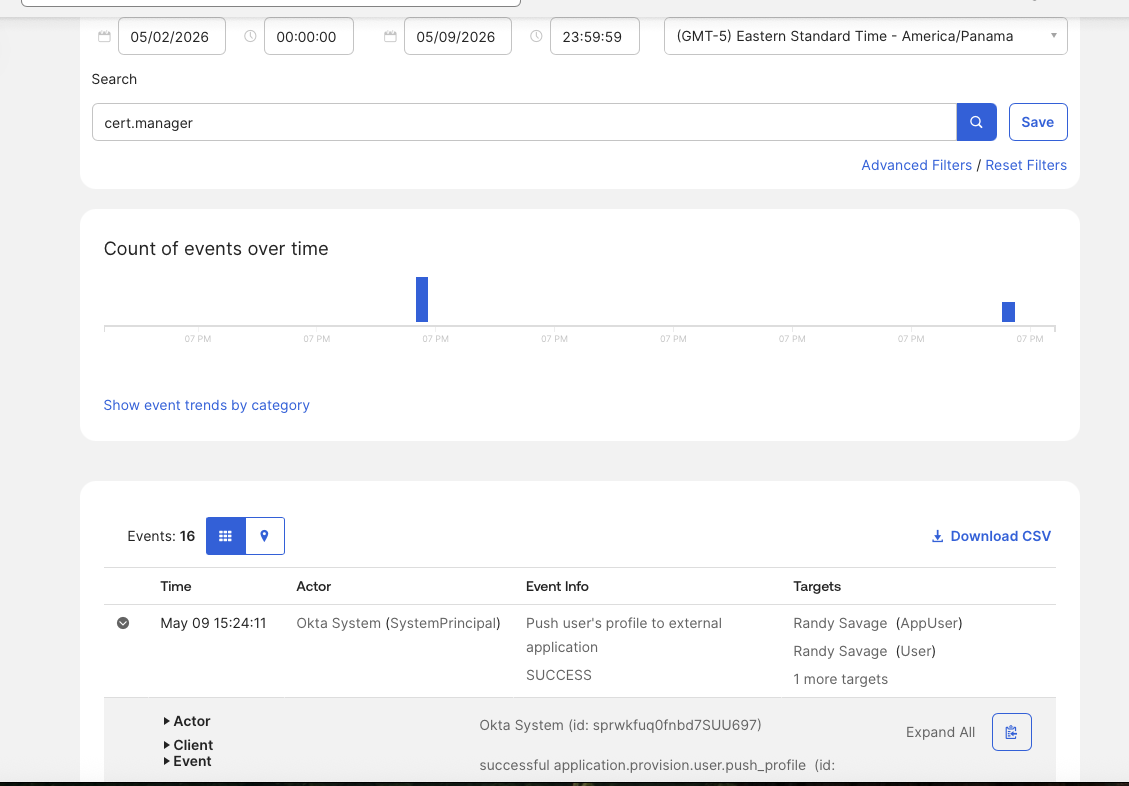
Success Criteria
You’re done when:
cert.managerhas delegated admin rights.cert.managercan access limited admin functionality.cert.employee1cannot access the admin console.- Removing the role removes admin access.
- You can explain delegated administration vs normal access.
Exam Sentence
Administrative privileges are assigned through admin roles. Delegated administrators can perform limited administrative tasks without being Super Admins, and assigning the role to a group is the realistic pattern — group membership grants the inherited admin rights.